Appearance
Add role manually
Creating roles enables administrators to assign permissions effectively.
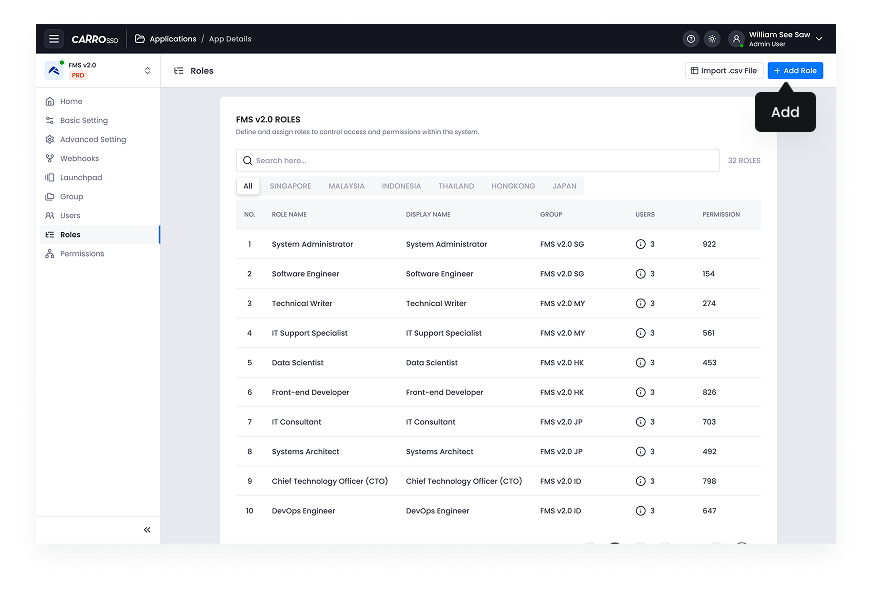
- Navigate to Role listing.
- Click Add Role button.
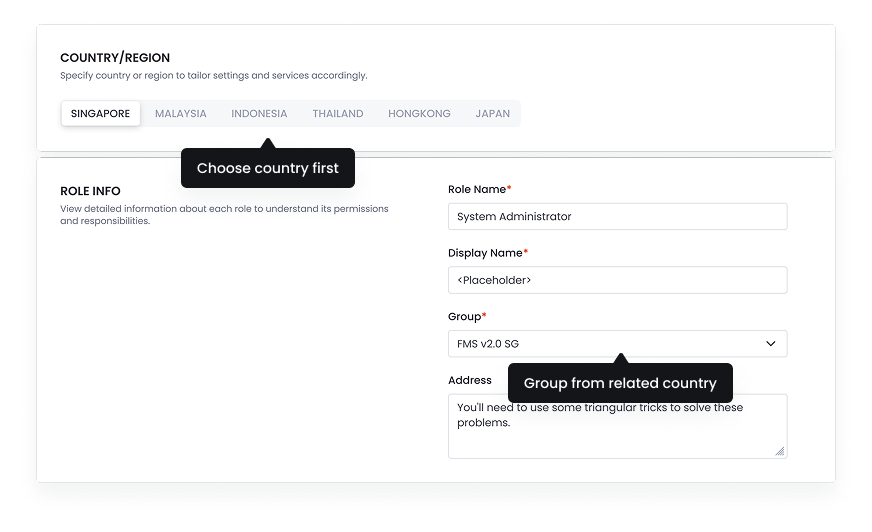
- Choose country to show the related group in group dropdown list.
- Fill role information.
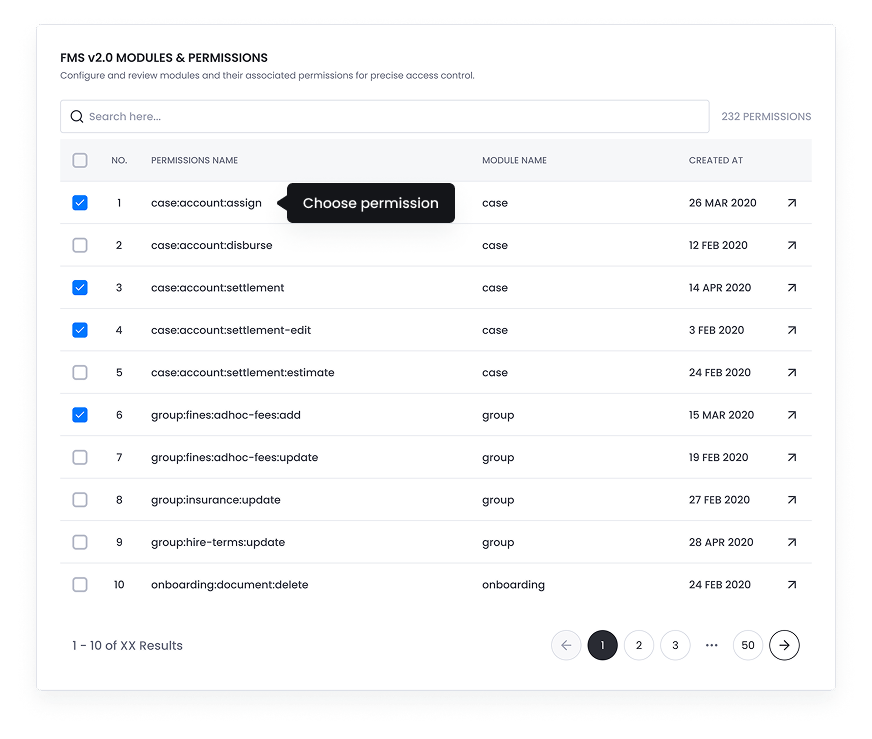
- Define the Permissions for the role.
- Save the role.